Built for Everyday Healthcare Work
Automation Toolkit
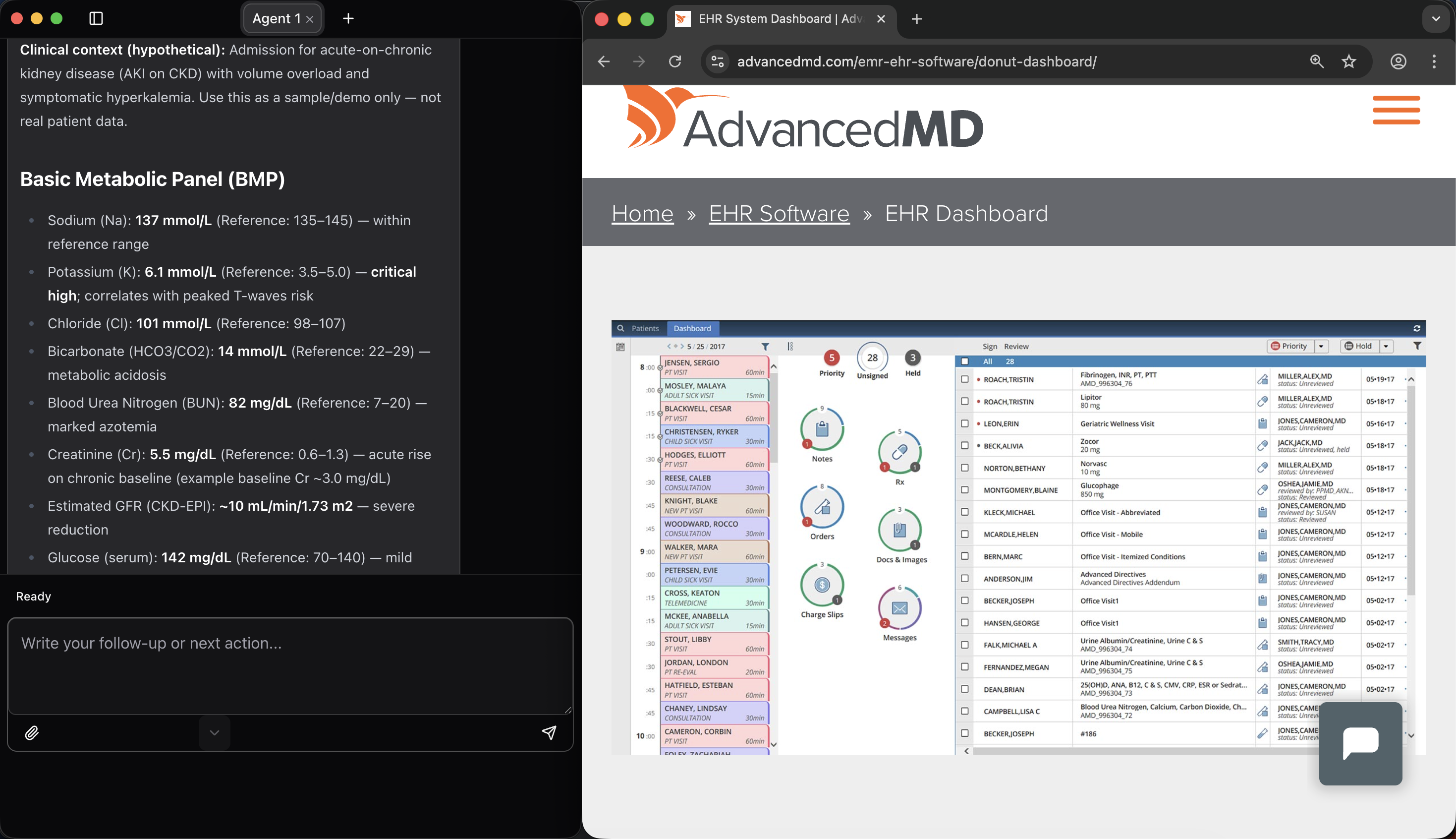
AutoMedic launches a dedicated browser session for each agent tab, allowing you to open, switch, and close tabs as part of an automated workflow. The browser uses your existing Chrome installation with a sandboxed, isolated profile for added privacy and security.
With simple prompts, AutoMedic turns your instructions into complete, step-by-step workflows inside the browser. The AI keeps you informed as it progresses and provides a clear summary when the task is complete.
Where AutoMedic truly stands out is its ability to work with older and complex systems. Many legacy EHRs don’t behave well with traditional automation tools—but AutoMedic can read what’s on the screen and navigate based on visible text, making it effective even when standard DOM-based automation fails.
The platform can extract text from page elements, summarize content, and create files—all within a single workflow. It can also read PDFs displayed in the browser, including scanned documents and handwritten notes using OCR. This eliminates manual data entry and reduces the time spent copying information from documents.
Documentation Toolkit
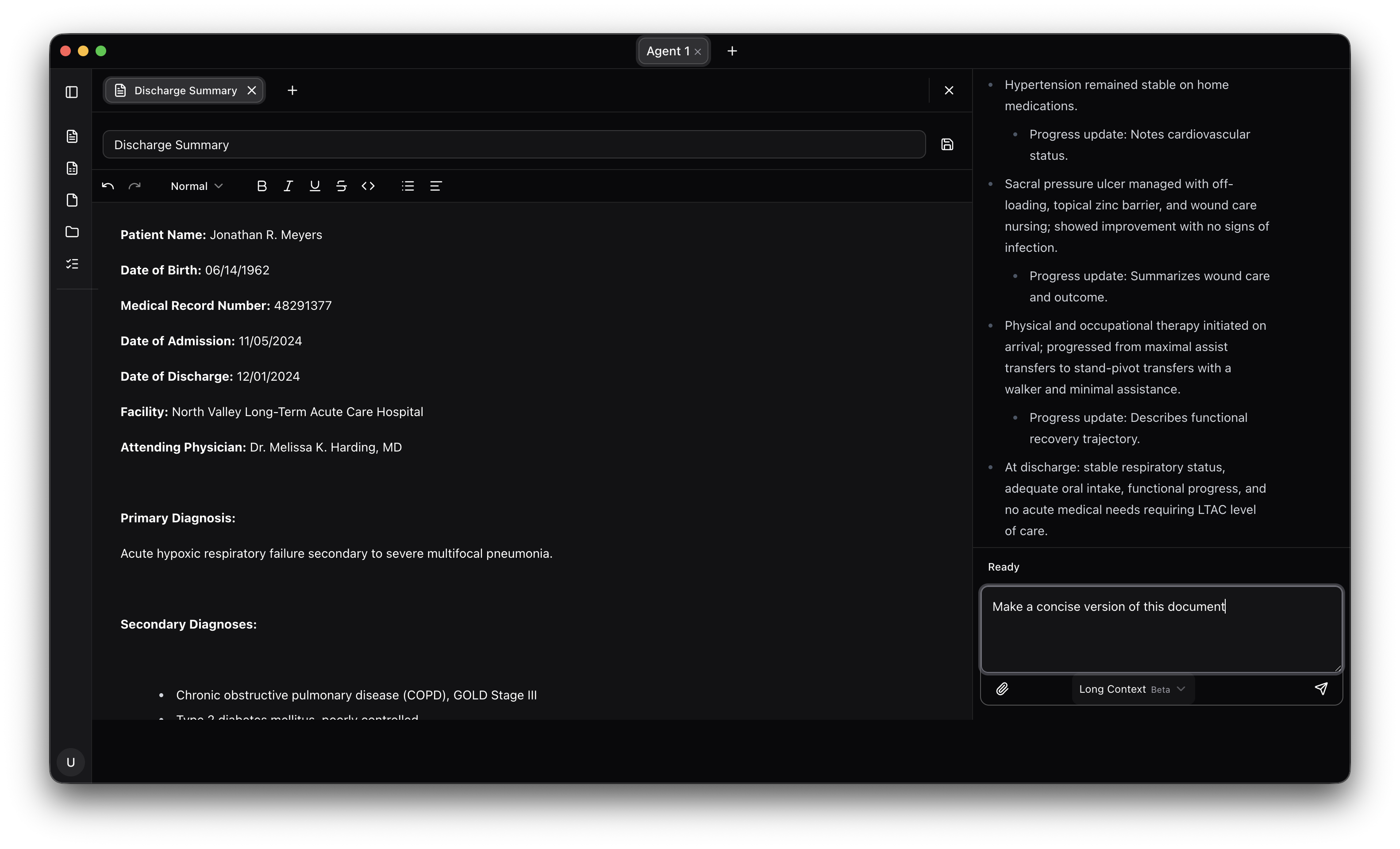
AutoMedic includes built-in apps designed specifically for automation-driven documentation. These modules—such as the file manager, word editor, and sheets editor—allow the AI agent to create, edit, and manage files directly inside the app.
For privacy and compliance, all files are stored in a dedicated local folder (default: Documents/Automedic). File contents are never stored elsewhere. Any data handled by the AI agent is encrypted in transit and processed within a HIPAA-aligned environment.
You can view, create, edit, and delete files without leaving the app. Word (.docx) and Excel (.xlsx) files can be created and edited directly, and the AI can modify these files as part of automated workflows—showing changes in real time as they happen.
Templates Manager
AutoMedic helps you standardize your work with reusable templates. You can create, edit, rename, and delete templates directly in the app, storing them locally for maximum privacy.
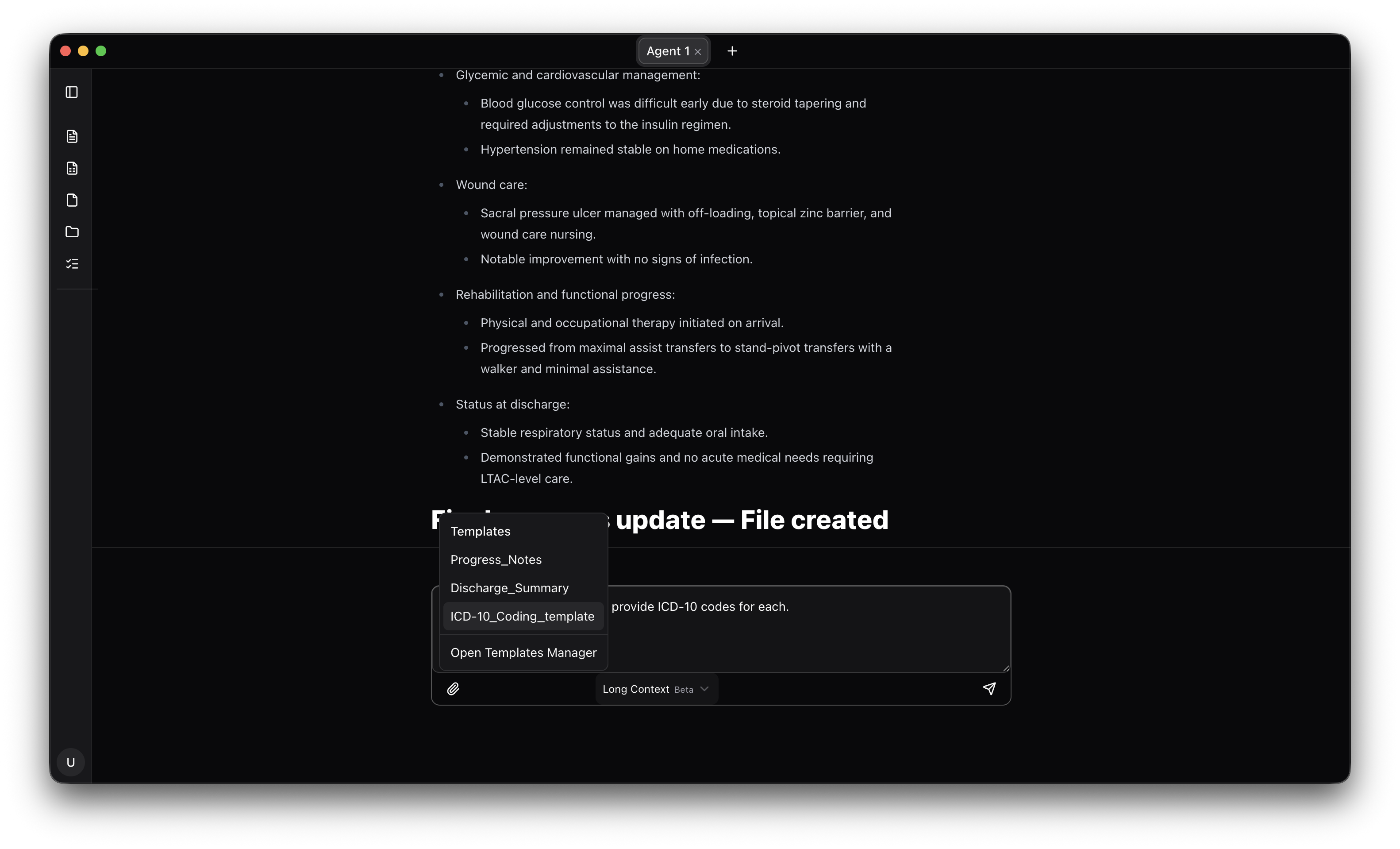
Templates can be attached to any prompt, allowing the AI agent to follow predefined formats, language, or structures when generating text or files. As your needs evolve, templates can be updated to ensure you always have the right starting point for your workflows.
Conversations & Context
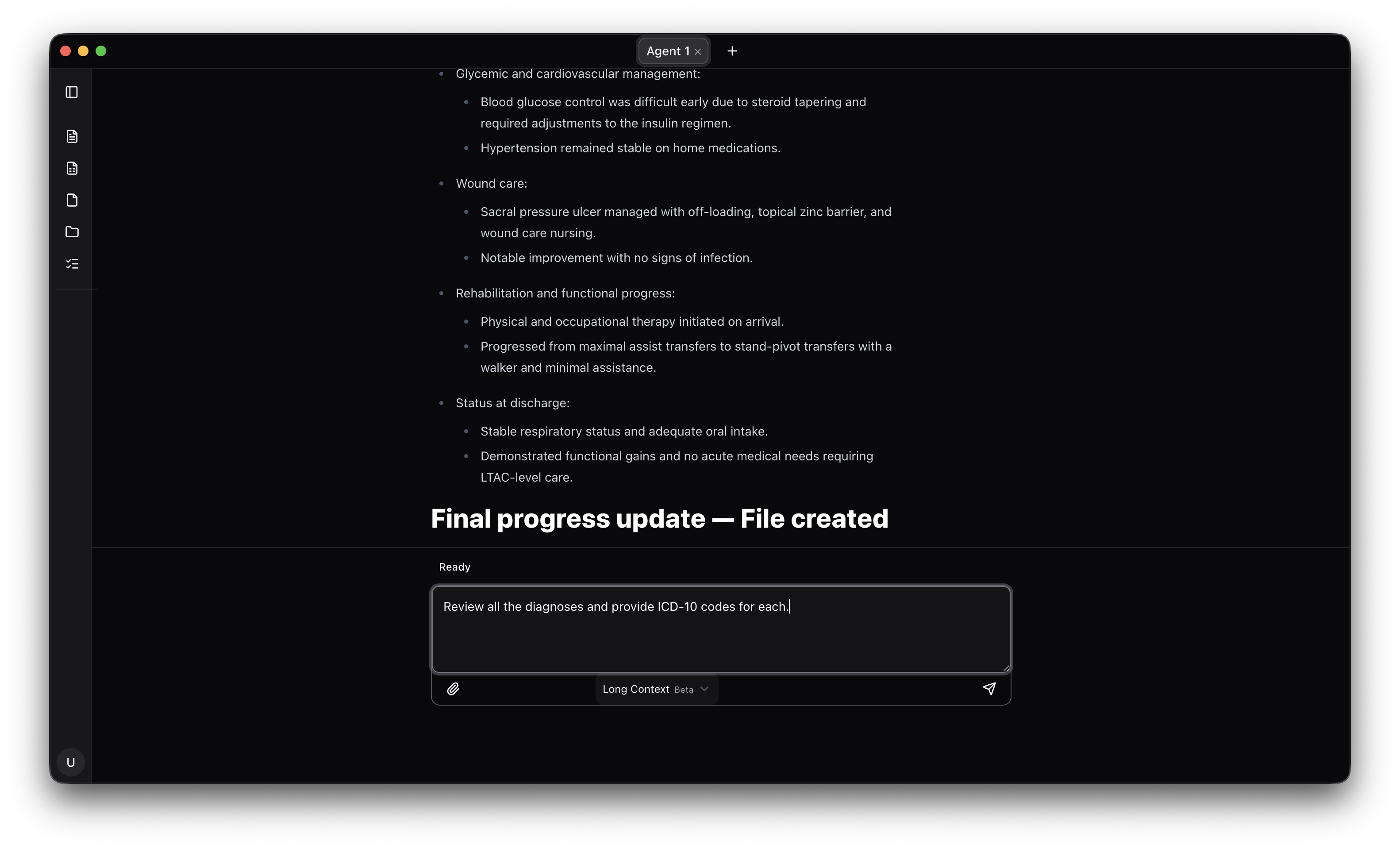
All conversations in AutoMedic are stored locally on your device and encrypted using AES-256 encryption. Each agent tab maintains its own context, including prompts, tool summaries, and AI responses.
This makes it easy to review what happened during a task, resume work later, or continue a workflow across sessions. Previous conversations can be added to a new tab with a single click, restoring context and flow instantly.
You can manage conversations and tabs at any time—viewing, editing, deleting, or closing them as needed—so your workspace stays clean and focused.
Security & Compliance
Security is built into every layer of AutoMedic. Local data is encrypted at rest, with keys managed using the operating system’s hardware-backed secure key storage.
All communication leaving the device is encrypted using TLS 2.0. Audit logs are maintained without storing PHI, capturing only metadata.
AutoMedic uses signed builds and platform-level protections to ensure distribution integrity. Administrative, technical, and physical safeguards are aligned with HIPAA requirements.
Settings & Profile
Account access and settings are available from the sidebar. Users can sign in or out, manage preferences, configure API keys, and adjust security options at any time.
Multi-factor authentication (MFA) adds an extra layer of protection. Secure session tokens are stored using the operating system’s hardware-backed key storage.
User profiles are updated locally after successful authentication to ensure consistency across sessions.
Experience AutoMedic Risk-Free
Try out the product completely free with no strings attached. See how AutoMedic can transform your healthcare workflow today.